

Advanced Tracking and Fingerprint protection is a Safari browser exclusive feature that goes even further to help prevent websites from using the latest techniques to track or identify your device. This is a security & privacy feature you need to enable manually, especially if you rely on the Safari browser to browse the web on an iPhone.
How is Advanced Tracking and Fingerprint protection helpful?
Enabling Advanced Tracking forces Safari to detect and remove tracking elements from URLs and copied links.
Regarding fingerprint protection, the feature prevents known fingerprints and tracking resources from loading on the web pages you visit.
To sum up, both of these features are very important, especially if you use Safari to browse the web on your iPhone.
How to Enable Advanced Tracking and Fingerprint Protection on iPhone?
To use this feature, you must have an iPhone running the latest iOS version. Here’s how you can enable it.
1. Launch the Settings app.
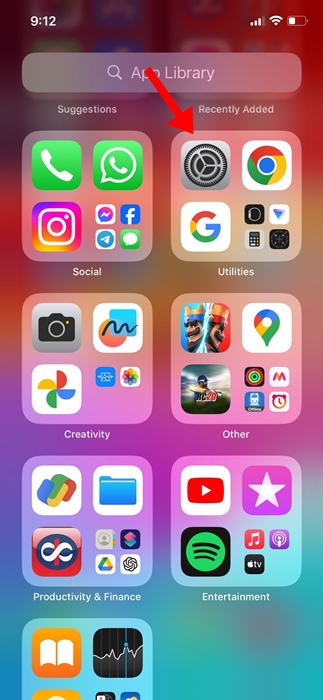
2. Scroll down and tap Safari.
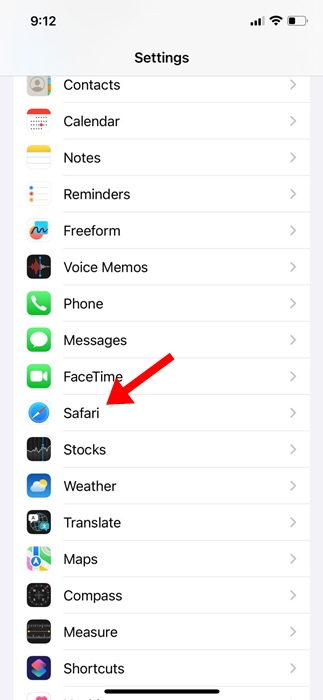
3. Scroll down to the bottom and tap Advanced.
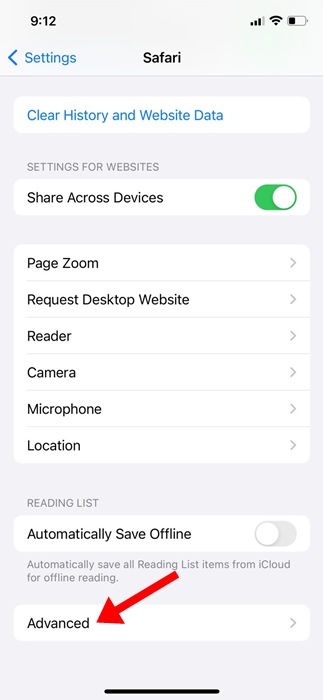
4. Tap Advanced Tracking and Fingerprint Protection.
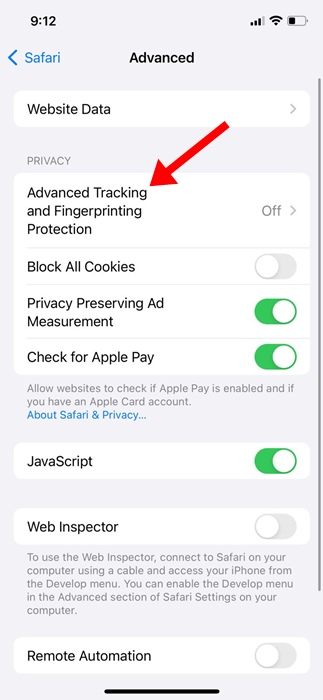
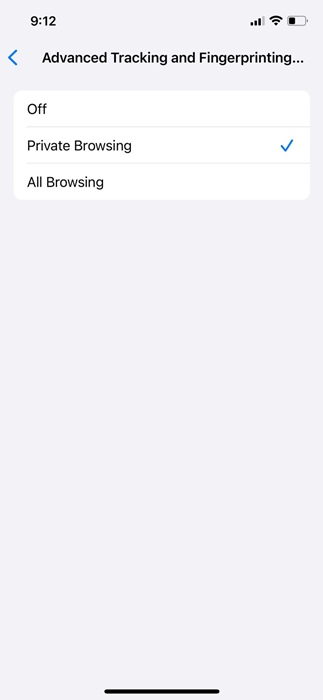
5. Now you will find three options: Off, Private Browsing, and All Browsing.
6. If you want to enable the feature only in Private Browsing mode, select Private Browsing.
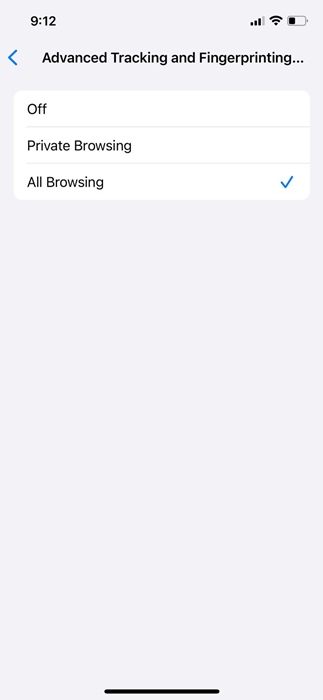
7. Select All Browsing on the Advanced Tracking and Fingerprint Protection screen.
Unable to Find Advanced Tracking and Fingerprint Protection on iPhone?
If you can’t find the option to turn on Advanced Tracking and Fingerprint Protection, you need to update your iPhone from the Software Update.
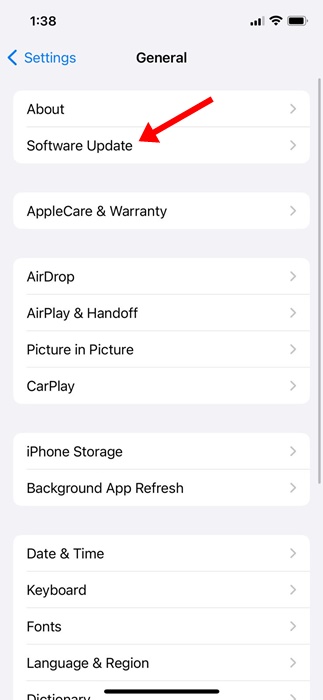
Navigate to Settings > General > Software Update and select Upgrade to the latest iOS version. After updating the iPhone, restart it and repeat the steps we have shared.
This guide explains how to enable the Advanced Tracking and Fingerprint Protection feature on the Safari web browser on iPhone. If you need more help with this topic, let us know in the comments.
The post How to Enable Advanced Tracking and Fingerprint Protection on iPhone appeared first on TechViral.
from TechViral https://ift.tt/rQl0kbm

