

Slow updates or downloads via the App Store or download stuck issues are no new; iPhone users deal with them regularly. You can do a few things to fix this problem on your iPhone; here’s what you can do.
1. Relaunch the Apple App Store
If an ongoing download or update is stuck, you need to stop the download and relaunch the Apple App Store on your iPhone. Relaunching the App Store will possibly remove the bugs or glitches that may conflict with the downloads. Stop all ongoing downloads and close the App Store. Once closed, open it again and download the app or game.
2. Restart your iPhone
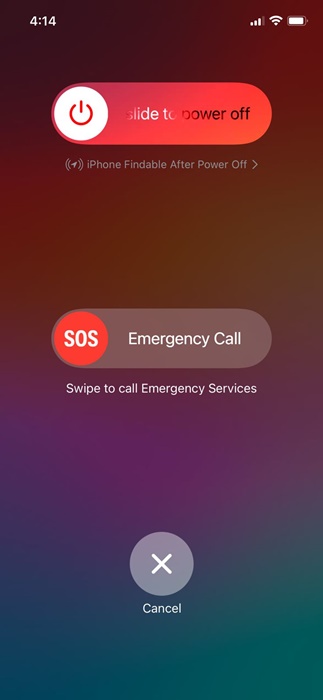
You need to restart your iPhone to remove system-level bugs or glitches. If relaunching the Apple App Store didn’t help, you can try restarting your iPhone. To restart your iPhone, press and hold the side and volume buttons of your iPhone.
This will open the Power menu; select the Slide to Power Off option. Once powered off, press and hold the side button of your iPhone to power it on your iPhone again.
3. Check your Internet Speed
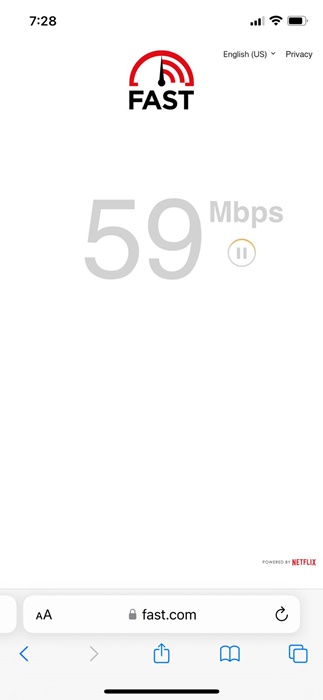
Slow internet speed is one of the prominent reasons why App Store downloads are stuck or slow. It’s possible that your internet connection is experiencing a problem or is slow, leading to stuck downloads.
You can confirm your internet speed by opening the fast.com website from the Safari web browser. If your internet speed is slow, you can try switching to mobile data or a different WiFi network to complete the App Store downloads or updates.
4. Sign out and Sign in to the Apple App Store
Another nifty trick that has helped many users fix slow app store downloads on iPhone is to sign out of the App Store and sign back in.
To sign out, open the Apple App Store and tap on your profile picture in the top right corner. On the next screen, tap the Sign Out button at the bottom. Once signed out, sign back in with your Apple account credentials and complete the downloads or updates.
5. Prioritize the App Downloads
If multiple apps are being downloaded or updated from the Apple App Store, you get the option to prioritize the app that you need urgently.
Since Apple App Store downloads or updates apps one at a time, prioritizing the app downloads will reduce the wait time.
To prioritize app downloads, long-press on the app icon that’s pending download/update and select Prioritize download.
6. Free up Storage Space
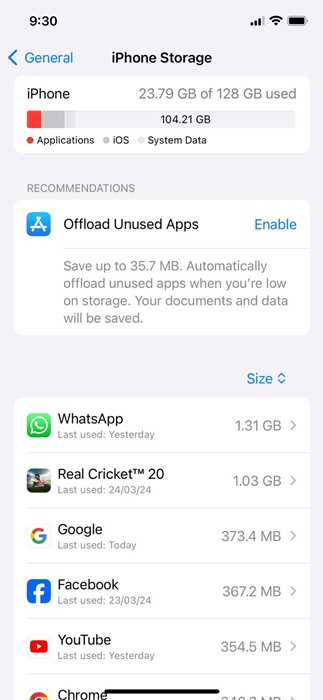
If the downloads or updates are stuck, it’s possible that your iPhone doesn’t have the required storage space. It’s best to keep at least a few gigs of free storage available so that the new apps can download without issue.
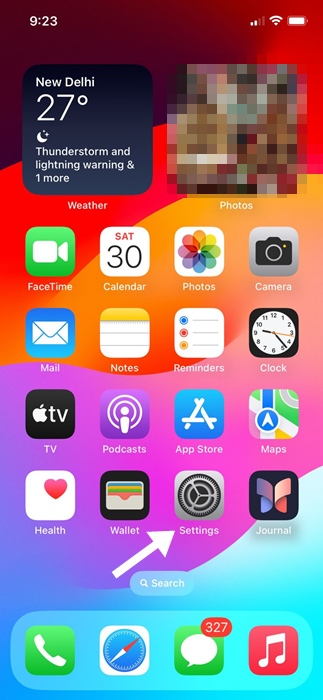
1. Launch the Settings app.
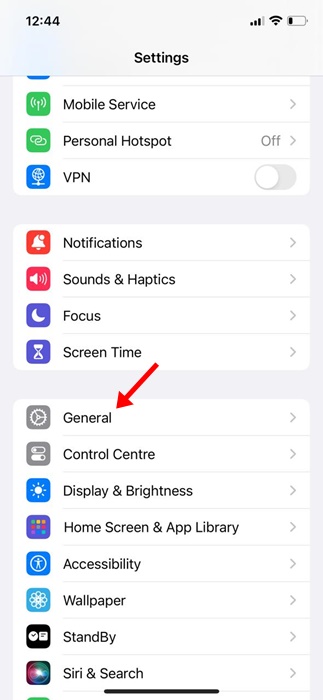
2. Tap General.
3. Tap iPhone Storage.
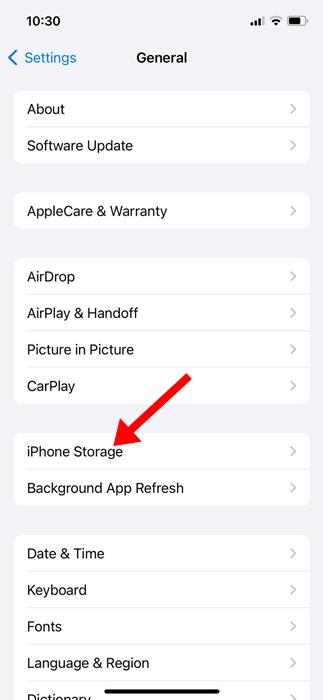
4. You will see the Storage Consumption by apps. If you don’t use an app, you can delete it from your iPhone to free up storage space.
7. Check the Server Status of the Apple App Store
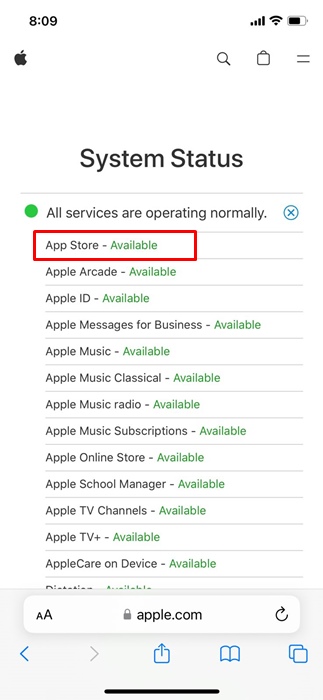
If the App Store’s servers are down globally, you will face problems like slow app downloads and updates.
In the worst case, you may also face difficulties accessing the app catalog. Hence, if you’re still unable to resolve the slow App Store downloads issue, it’s time to check the server status of the App Store.
You can visit Apple’s system status webpage to see if the App Store servers are down. If the servers are down, you need to wait until they are restored.
8. Switch to Google DNS Server
Switching to a public DNS server like Google DNS can also help.
1. Launch the Settings app.
2. Tap WiFi.
3. Tap the (i) next to the WiFi network you’re connected to.
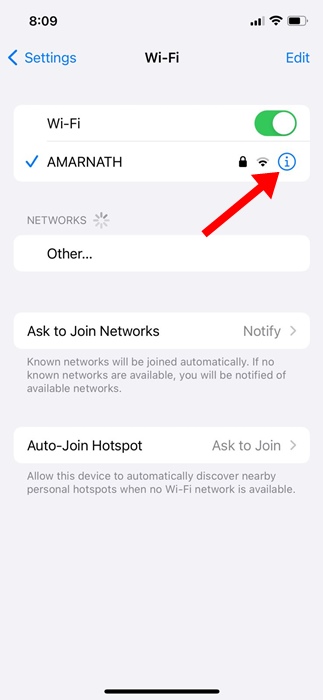
4. Tap the Configure DNS.
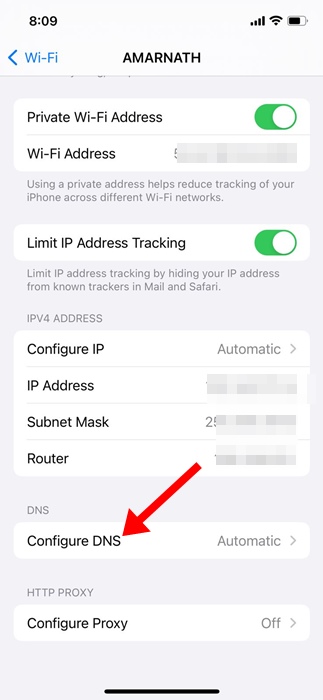
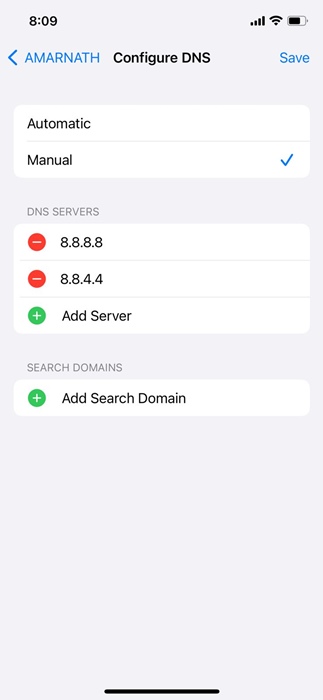
5. Select Manual and add 8.8.8.8 and 8.8.4.4 as DNS servers. After making the changes, tap on Save at the top right of the screen.
These are a few simple methods to fix slow app store downloads on iPhone. Let us know if you need more help on this topic in the comments.
The post How to Fix Slow App Store Downloads & Updates on iPhone appeared first on TechViral.
from TechViral https://ift.tt/2QEDF97

