

While blocking a number is easy on Android, what if you want to unblock some of them? There are various ways to unblock a phone number on an Android phone. You can either use the Phone app or the Google Contacts app to unblock a blocked phone number.
1. Unblock Number from Phone By Google
In this method, we will be using the Phone by Google app to unblock a blocked phone number.
1. Launch the Phone by Google app on your Android phone.
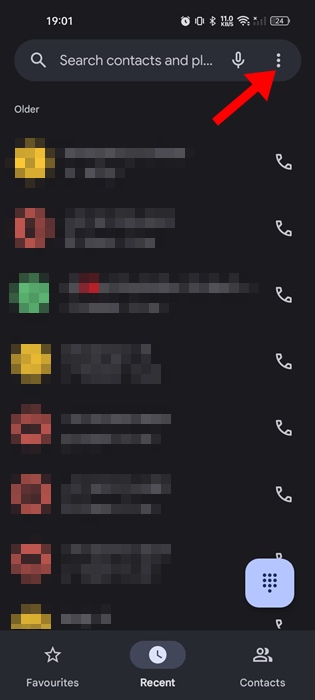
2. Tap on the three dots at the top right corner.
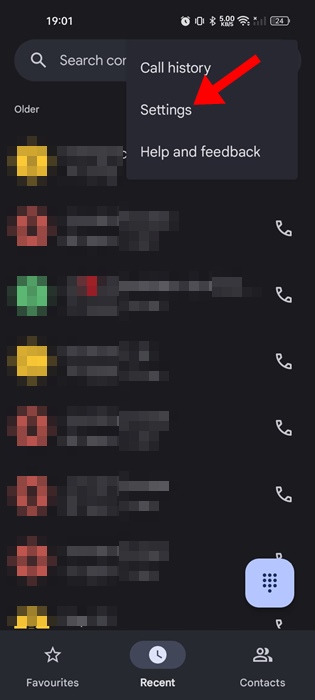
3. Select Settings.
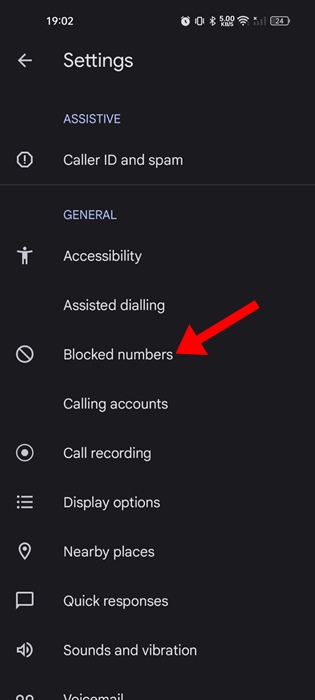
4. Tap the Blocked numbers in the General section.
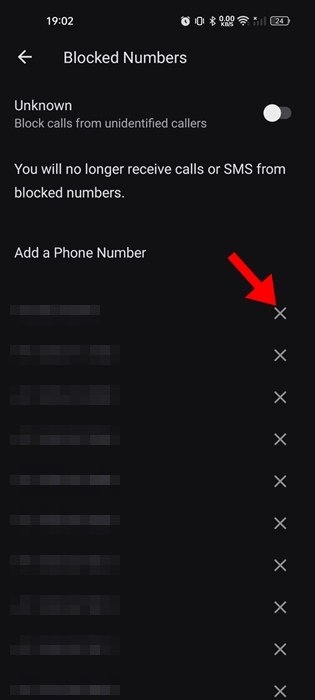
5. You will find all the numbers that have been blocked on your phone. To unblock a number, tap the cross sign (x) next to the phone number.
2. Unblock a Phone number from Google Contacts
The stock contact management app of Android – Google Contacts can also be used to unblock a blocked phone number.
1. Launch the Google Contacts app.

2. Switch to the Fix & Manage.
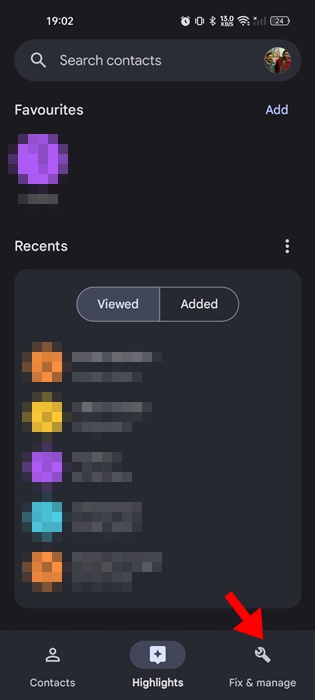
3. Tap on Blocked Numbers.
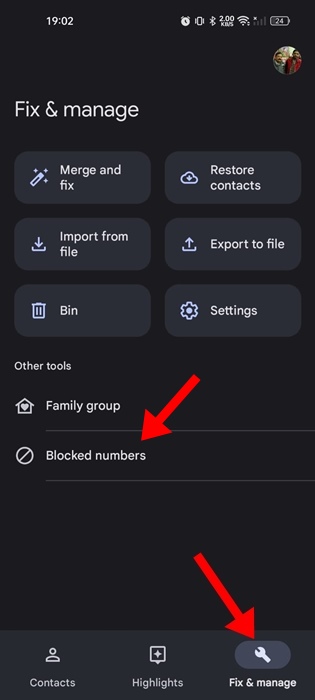
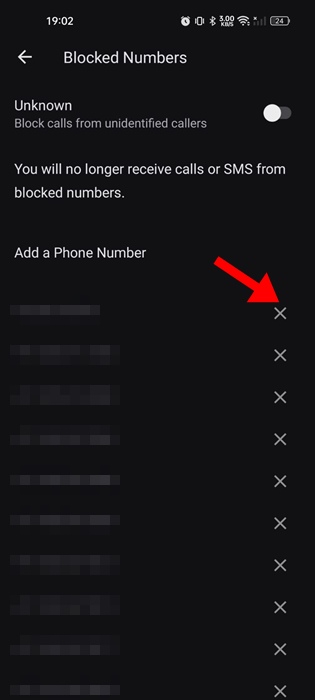
4. Now you will be able to see all the numbers you’ve blocked until now
5. To unblock a specific number, tap the (x) cross icon next to the phone number.
3. Unblock a Phone Number from the Recent Calls List
Another good way to unblock a phone number is from the Recent Calls list on the Phone by Google app.
1. Launch the Phone by Google app.
2. Switch to the Recent tab.
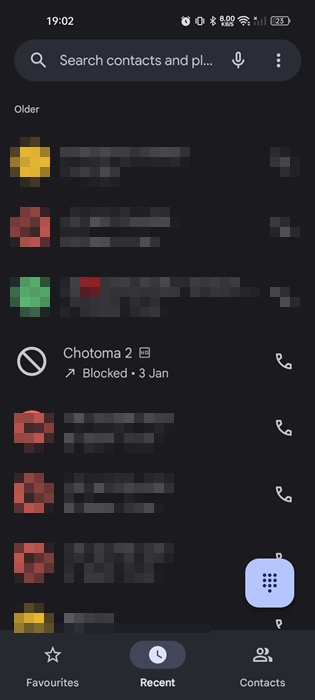
3. You will find the entries for blocked phone numbers on the Recent call list as well.
4. Select the blocked number and tap on Unblock.
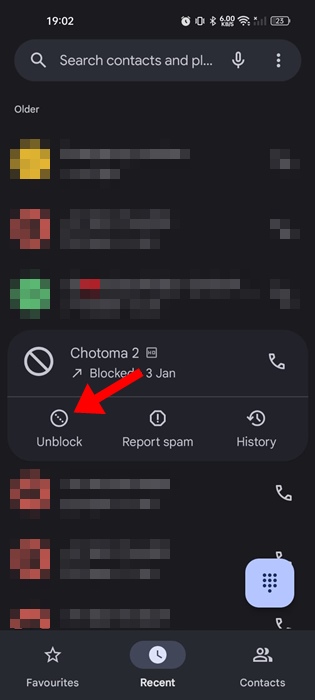
5. Tap on Unblock again.
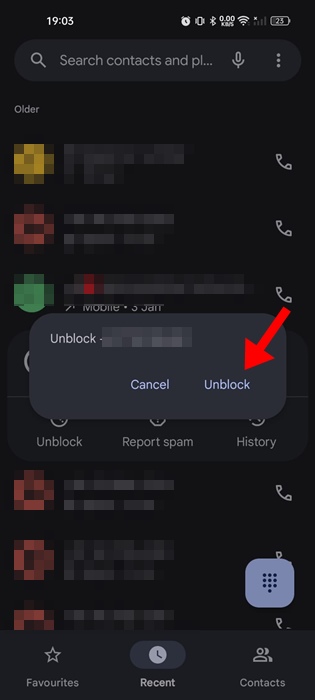
This will immediately unblock the phone number on your Android phone. You should be able to receive calls from those numbers again.
The stock dialer app of Android automatically detects and blocks spam phone numbers. However, you can follow the steps shared in this guide to unblock any blocked numbers on your Android phone.
The post How to Unblock a Phone Number on Android appeared first on TechViral.
from TechViral https://ift.tt/FJYXoiW

