

You won’t have to install a dedicated app to view apps by battery usage, as your iPhone natively supports this feature. Here are detailed steps to view apps by battery usage on your iPhone.
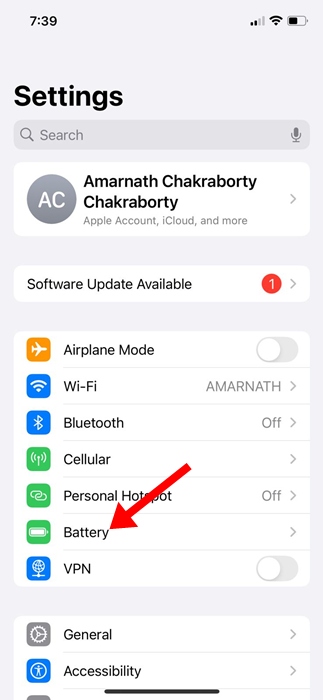
1. Launch the Settings app.
2. Switch to Battery.
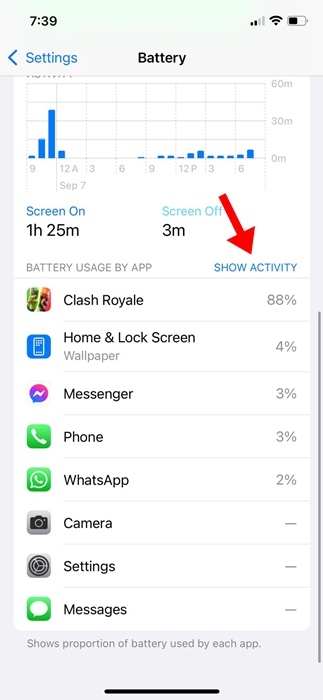
3. You will find a Battery Usage by App section.

4. This section will list apps that use the most battery power.
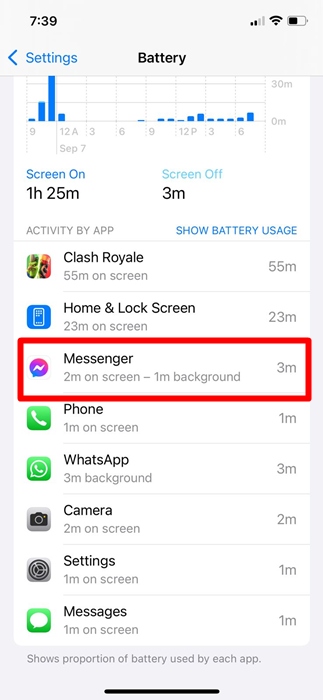
5. If you want to see how long a specific app has been running in the background and using battery power, tap Show Activity.
6. You will be able to see how long the app has been running in the background and using battery power.
How to Preserve Battery Power on iPhone?
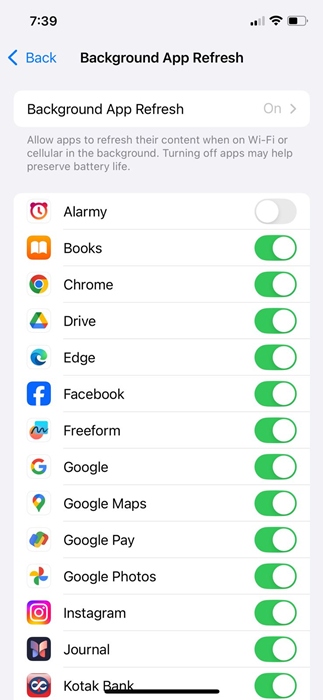
One of the best things you can do to make apps use less battery power on your iPhone is to turn off the background refresh for the apps.
1. Launch the Settings app.
2. Tap on General.
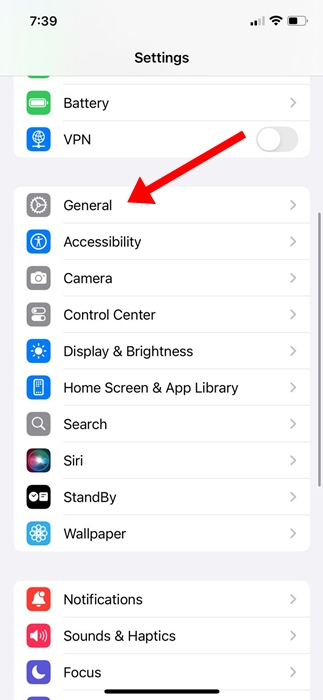
3. Tap on Background App Refresh.
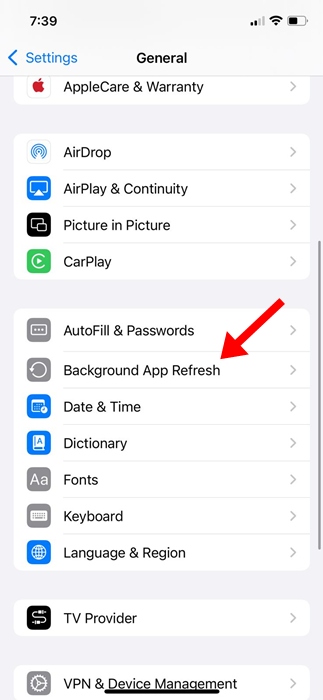
4. Toggle off the apps you don’t want to be active in the background.
These are a few simple steps to view apps by battery usage on an iPhone. We have also shared the steps to make apps use less battery power on an iPhone. If you need more help on this topic, let us know in the comments.
The post How to View Apps By Battery Usage on iPhone appeared first on TechViral.
from TechViral https://ift.tt/bsJihQq