

A few Windows 11 users have recently reported problems with the Settings app, such as the app not opening and taking a long time to list the options. If you are also experiencing similar problems, you should repair or reset the app manually. Here’s how to do it.
1. Repair the Settings app on Windows 11
Before resetting the Settings app, you need to try the repair option.
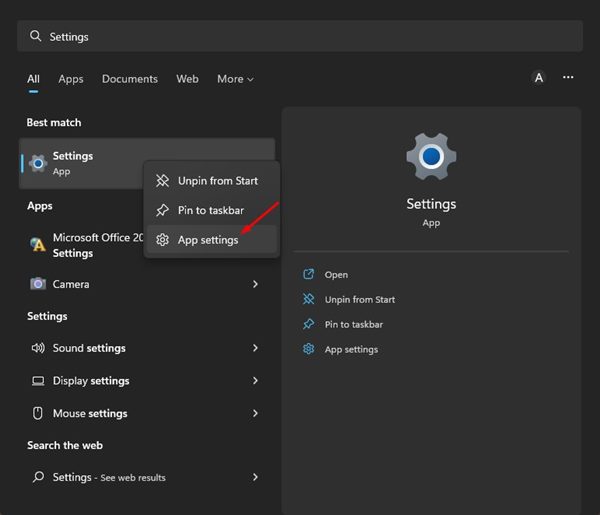
1. Click on the Windows 11 search and type in Settings.
2. Right-click on the Settings app and select App Settings.
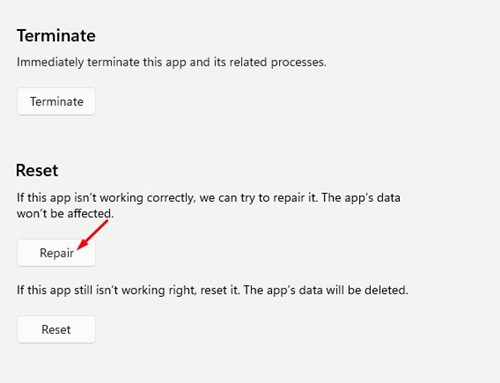
3. Click on Repair.
2. Reset the Settings app on Windows 11
Resetting will delete all app data stored on your device.
1. Click on the Windows 11 search and type in Settings.
2. Right-click on the Settings app and select App Settings.
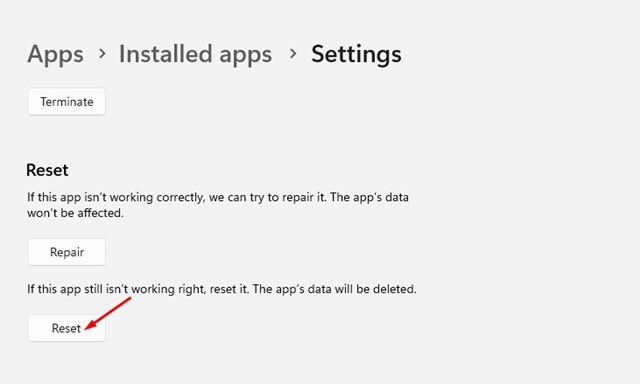
3. Click on Reset.
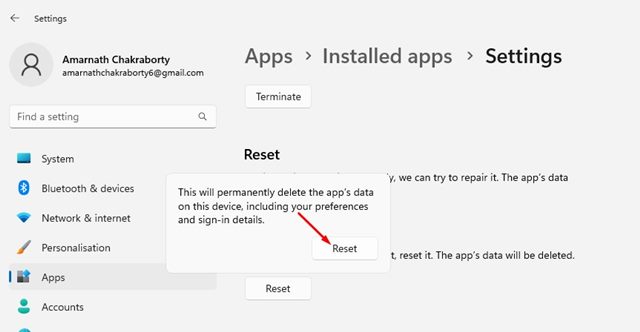
4. Click on the Reset button again.
3. Reset the Settings app via PowerShell in Windows 11
If the App Settings page does not open, you must use the PowerShell utility to reset the Settings app on Windows 11.
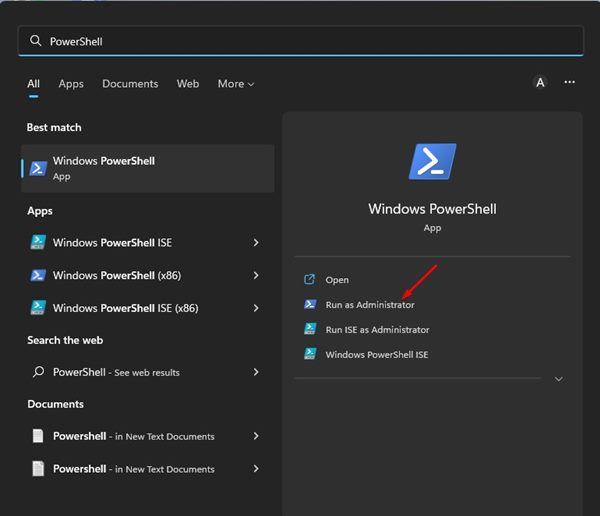
1. Click the Windows 11 search and type in PowerShell. Right-click on PowerShell and select Run as administrator.
2. Execute the command shared below and press Enter.
Get-AppxPackage *windows.immersivecontrolpanel* | Reset-AppxPackage
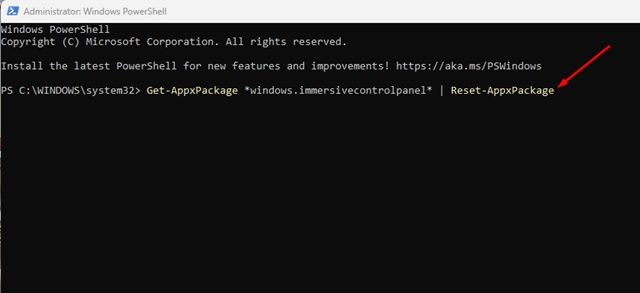
3. Executing the above command will immediately reset your Settings app.
4. Reset Settings App Using Command Prompt
You can also use the Command Prompt command line tool to reset the Settings app.
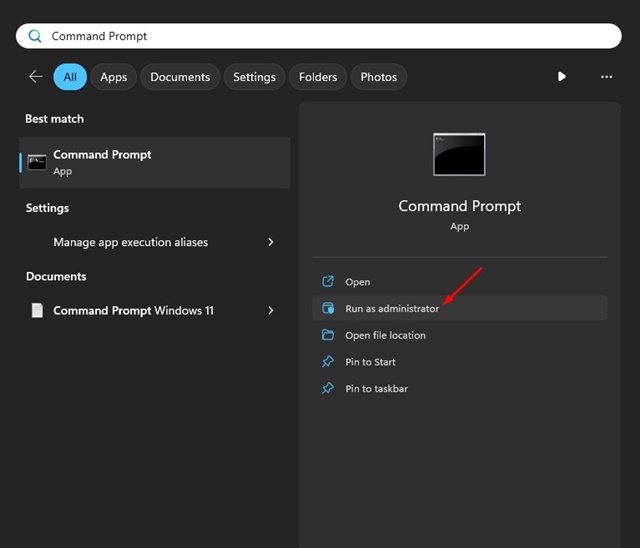
1. Open the Windows 11 search and type Command Prompt. Right-click on the Command Prompt and select Run as administrator.
2. Paste this command and press Enter.
PowerShell -ExecutionPolicy Unrestricted -Command "& {$manifest = (Get-AppxPackage immersivecontrolpanel).InstallLocation + '\AppxManifest.xml' ; Add-AppxPackage -DisableDevelopmentMode -Register $manifest}"
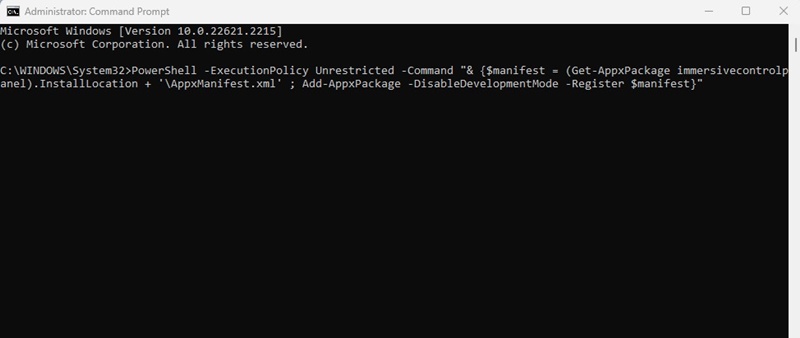
3. You must wait until the command resets the Settings app. Don’t close the CMD until you see the confirmation message.
These are the best ways to reset the Settings app in Windows 11. If you need more help in resetting the Settings app on Windows 11, let us know in the comments.
The post How to Repair & Reset the Settings App in Windows 11 appeared first on TechViral.
from TechViral https://ift.tt/pK2Jg1c

