

Over the past few years, the way we interact with an AI has changed a lot. Now, everyone seems to enjoy spending time with an AI chatbot like ChatGPT.
To make your chat experience better, OpenAI introduced new personalization options for ChatGPT. You have more control over how the chatbot sounds and responds during a conversation.
Customizing ChatGPT’s Personality
OpenAI already offered lots of base styles and tone for ChaGPT like Professional, Friendly, Candid, Quirky, etc. Now, even after selecting the base style and tone, you can fine-tune those personalities further by adjusting individual characteristics.
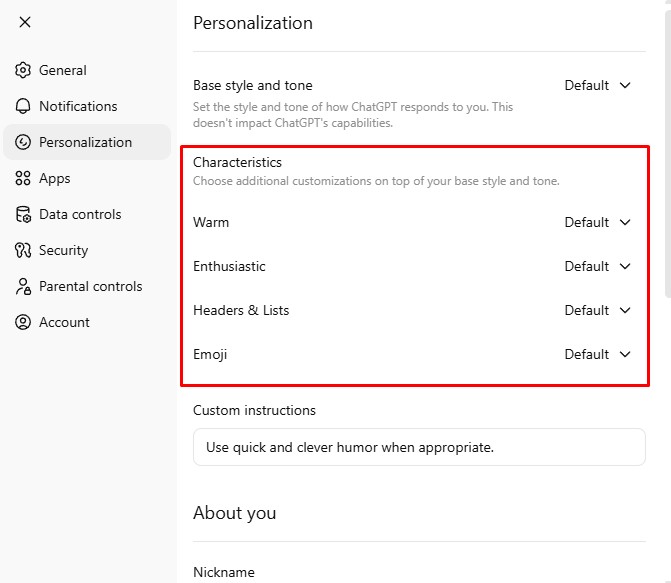
The new customization options let you decide how warm or formal ChatGPT should sound, how enthusiastic or calm its responses should feel, and whether it can use Emojis or not to connect with you better.
How to Customize ChatGPT’s Personality to Suit Your Taste
If you want to customize ChatGPT’s personality to suit your taste, follow these simple steps.
1. Log in to your ChatGPT account.
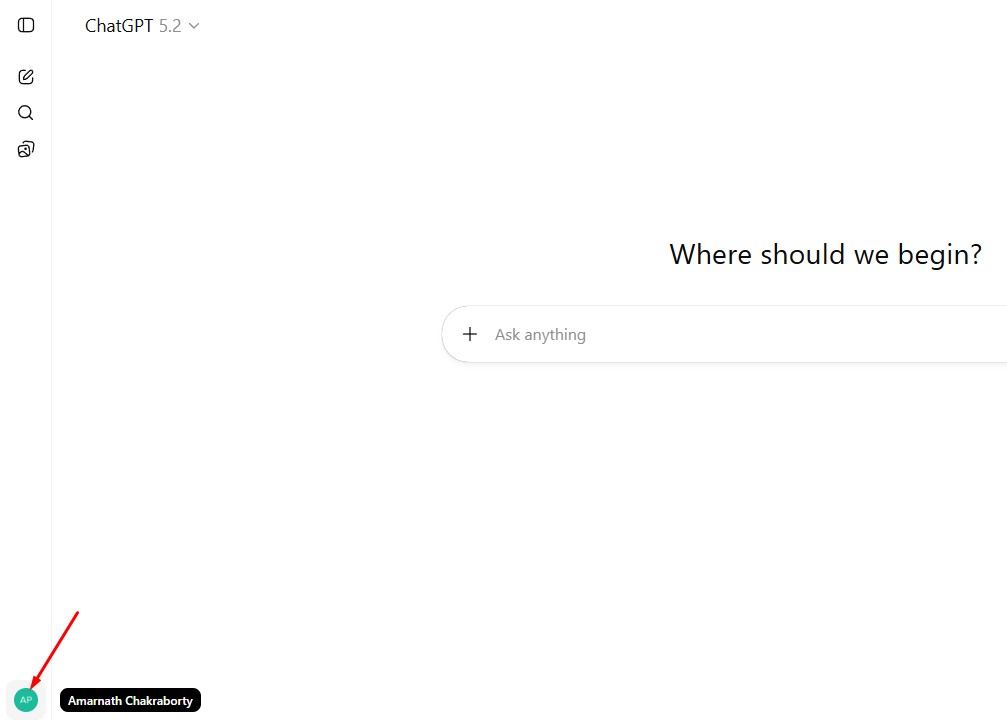
2. At the bottom left corner, click on your username.
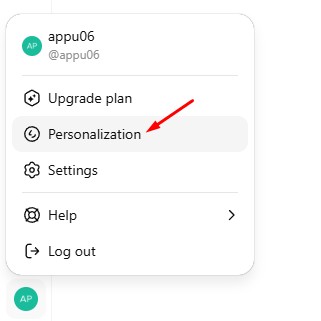
3. Select Personalization.
4. You will find 4 different options under the Characteristics: Warm, Enthusiastic, Headers & Lists, and Emoji.
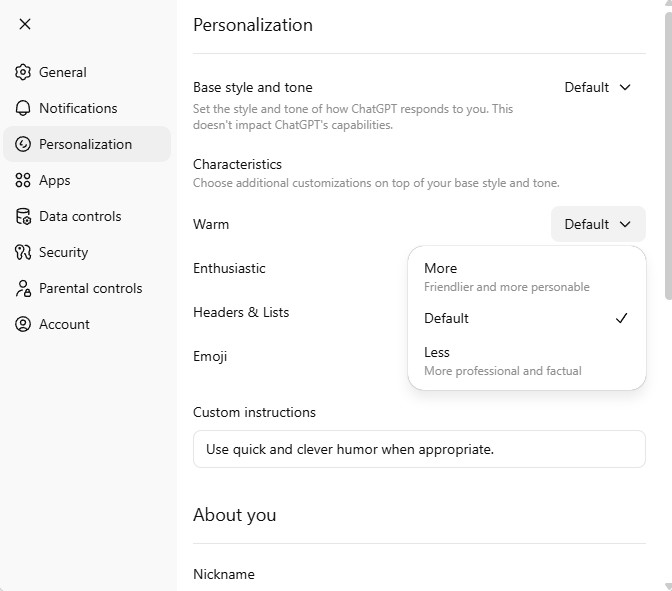
5. Click on the drop-down next to them and select your preferred option.
If you want more customization, the custom instructions are still available to you. You can use custom instructions to guide ChatGPT’s behavior in very specific ways.
This guide explains how to customize ChatGPT’s Personality further. If you need more help on this topic, let us know in the comments.
The post How to Customize ChatGPT’s Personality to Suit Your Taste appeared first on TechViral.
from TechViral https://ift.tt/vKU7gjt

