

In specific conditions, adjusting the on-screen display doesn’t produce the pleasing image we seek due to some limitations. This is where the ICC Color Profile comes into play. The International Color Consortium (ICC) profile is one great way to achieve color consistency across different devices.
Since ICC Profiles are the standard benchmark for color management, using these profiles, your softwares can translate colors to make sure what you see on screen is as close as possible to the intended color.
How do you download the ICC Color Profile for your device?
There are various ways to download the ICC Color Profiles for your device, but the most trustworthy source is your display manufacturer’s website. The brand of monitor you’re using may have its own ICC Profile; hence, it’s always recommended to check your display manufacturer’s website first before diving into third-party sources.
If you can’t find the ICC Profile for your brand of monitor, you can download one from the International Color Consortium’s official website.
How do you install an ICC Profile on Windows 11?
If you already have the ICC Profile, it’s time to know how to install it on your PC.
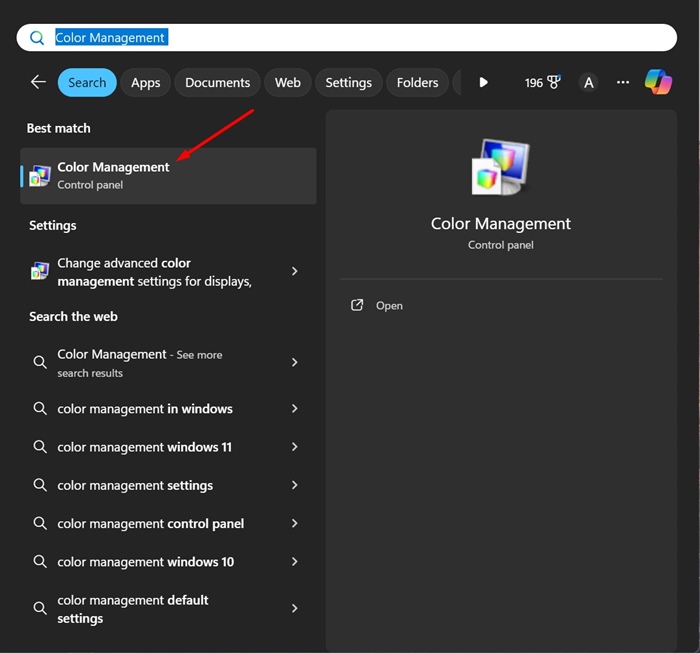
1. Open the Color Management app from the Windows Search.
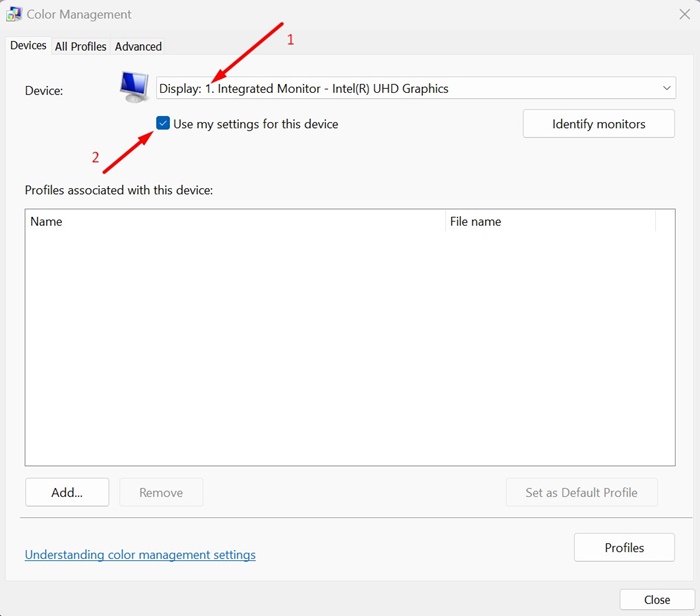
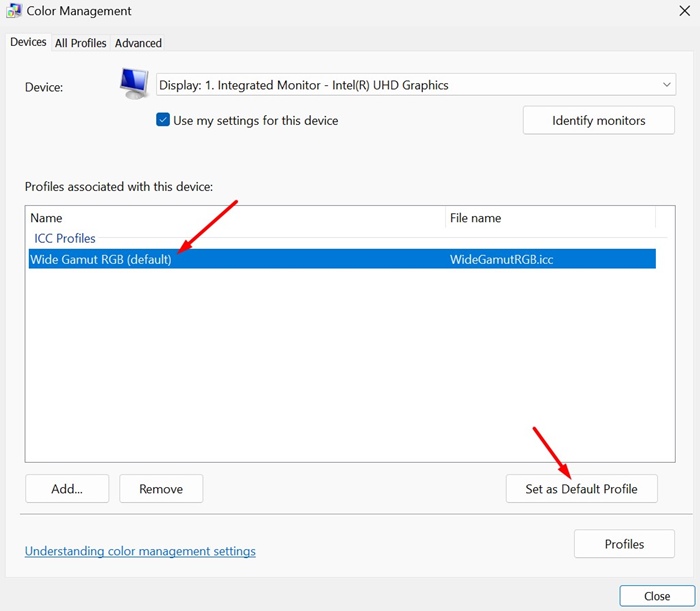
2. Select your device from the Device dropdown and check the ‘Use my settings for this device’.
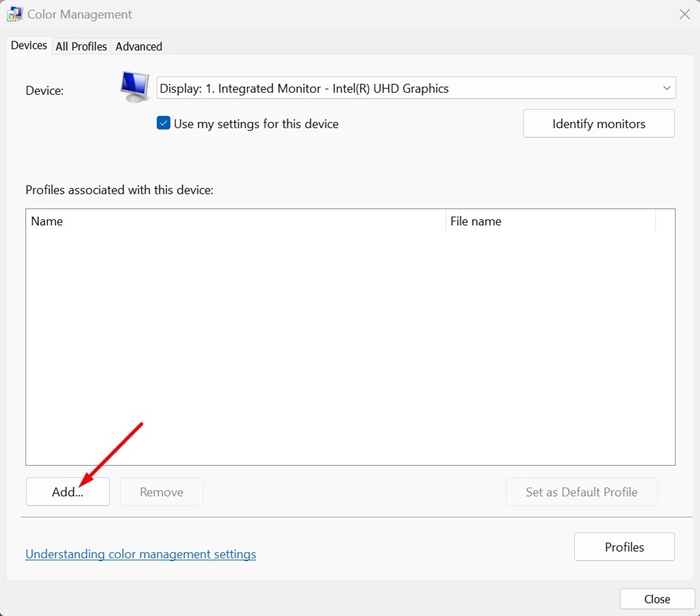
3. Click Add.
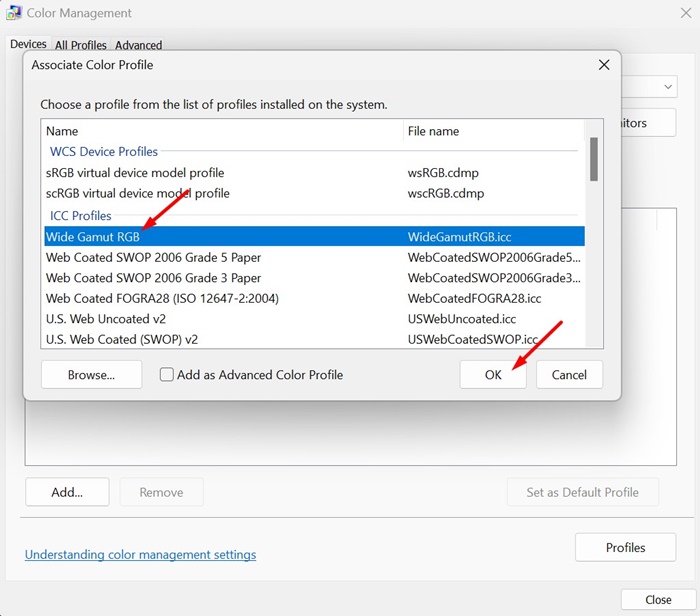
4. Select a profile from the ICC Profiles section and click OK.
5. Click on Browse and select your profile.
6. Select the ICC Profile you’ve added and click Set as default profile.
How to Reset Color Profiles on Windows 11?
If you encounter problems after switching to the ICC Profile, you can always return to your PC’s default color profile.
1. Launch the Color Management tool on your Windows 11 PC.
2. Select your display on the Device dropdown.
3. Uncheck the ‘Use my settings for this device’.
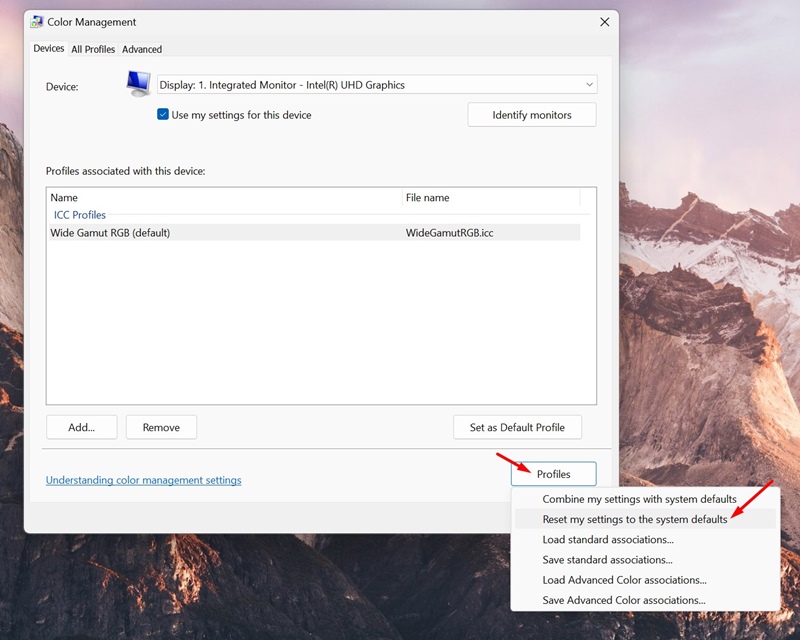
4. Click on Profiles and select Reset my settings to the system defaults.
This guide explains how to install the ICC Profile on a Windows 11 device. If you need more help with this topic, let us know in the comments.
The post How to Install ICC Profile on Windows 11 appeared first on TechViral.
from TechViral https://ift.tt/j6BiwKG

