

With uTorrent, you can easily download torrent content from the internet. The Torrent client is now available for Windows, macOS, Linux, and Android.
Unlike other torrent clients, uTorrent is lightweight and uses fewer RAM resources. The free version of uTorrent is ad-supported, but you can remove ads by purchasing the premium version of uTorrent from its official site.
Download uTorrent Offline Installer

uTorrent has both free and premium versions. You can download the free version from its official website. However, if you want to install uTorrent on multiple systems, you can use the uTorrent offline installer.
- Download uTorrent Offline Installer for Windows
- Download uTorrent Offline Installer for macOS
- uTorrent Offline Installer for Linux
- Download the uTorrent Beta version
These are the offline installation files of uTorrent. You can use these uTorrent offline installers on any platform to install the most popular torrent client.
How to Install uTorrent Offline Installer?
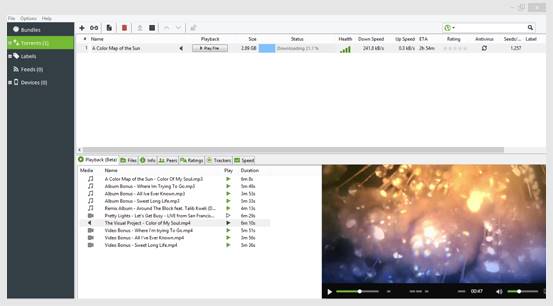
Installing the uTorrent offline installer is straightforward, just follow these simple steps.
1. Download the uTorrent Installer file from the link we have shared.
2. Run the uTorrent_Installer file.
3. On the Welcome screen, click Next.
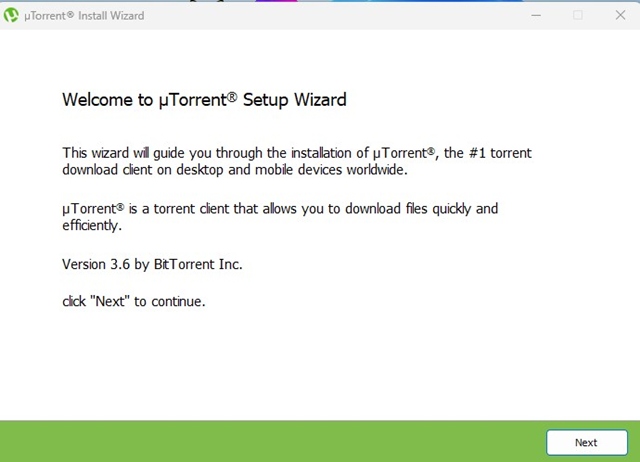
4. Agree to the License Agreement and Privacy Policy.

5. Choose your installation options and click Next.

6. Go with the default selection and click Next.

7. Wait until the uTorrent client installs on your PC. Once installed, you can use it to download torrent files.
The benefit of the uTorrent offline Installer is that it can install uTorrent on any system multiple times. That means you don’t need to download the installer repeatedly from the official website. Once installed, run uTorrent from the desktop and enjoy the feature.
Features of uTorrent

Download Torrents
Being a Torrent client, uTorrent is mostly used to download torrents. To download torrent content via uTorrent, you need to locate the torrent file. Once done, it will automatically start to download the content.
Magnet Link Support
For those who don’t know, Magnet links are essentially hyperlinks containing the hash code for torrent files you are about to download.
You don’t need to download the .torrent file with the magnet link. Visit the torrent website and click on the Magnet link download option. uTorrent will automatically fetch the .torrent file.
Bandwidth Management
Like every other torrent client for desktop, uTorrent also offers bandwidth management features. With uTorrent, you can manually control the download and upload speeds.
Multiple Torrent Downloads
If you are looking for a torrent client that allows you to download multiple torrent files simultaneously, then uTorrent might be the best pick for you. You can download as many torrents as you want at the same time.
Tracker Support
If you are downloading a torrent file but not getting the appropriate download speed, you can add torrent trackers. The client lets you add custom torrent trackers to enhance the downloading speed.
Play Torrent Without Downloading
It allows you to stream videos directly without actually downloading the torrent content. This means you won’t have to wait for the file to download. Just add your torrent and start enjoying the content right away.
Also Read: 10 Best uTorrent Alternatives For Downloading Torrent Files
This article is about the uTorrent Offline Installer. I hope it helped you! Please share it with your friends. If you have any doubts, let us know in the comment box below.
The post Download uTorrent Offline Installer Latest Version (Windows, Mac & Linux) appeared first on TechViral.
from TechViral https://ift.tt/cGO9Q7B

