

security@mail.instagram.com is the email address Instagram uses to send you the account verification or login approval emails. However, the problem is that sometimes hackers can misguide you with a fake security link and redirect you to phishing web pages.
If the security@mail.instagram.com often appears in your email account, you need to understand the concept of phishing emails.
What are Phishing Emails?
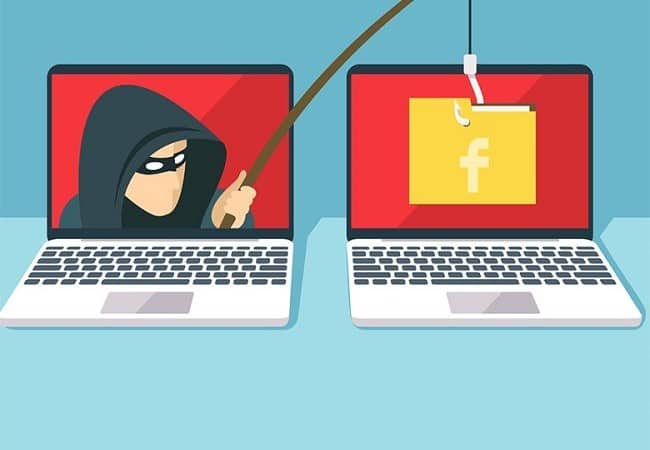
Phishing is one of the most popular unethical hacking techniques cyber criminals use. It’s an attack where a hacker uses a legitimate-looking email or link to trick innocent users.
To goal of the hacker is to make a phishing email look as legitimate as possible and make the victim believe that they are dealing with a genuine email address.
A phishing email can resemble a bank request, a login approval, a note from a popular public figure asking for monetary help, and so on.
Now, the problem is that hackers can recreate account verification emails from Instagram and make users believe that they’re coming from Instagram only. Hackers can replicate the look of the same email you get from Instagram for login approval and trick you into thinking it’s legitimate.
You will see an Instagram login page if you click the link in the phishing email. And if you enter your account username and password, you will forward your login credentials to the hacker.
Is “security@mail.instagram.com” Legit?
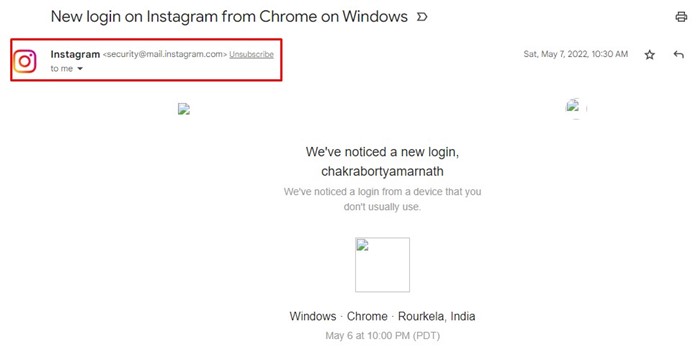
Let’s come to the most important part of the article, which is ‘security@mail.instagram.com’ legit. Well, if you get an email from the ‘security@mail.instagram.com’, it’s 100% legitimate.
security@mail.instagram.com is an official Instagram email address, and you can follow that link without issue. However, hackers can often use a similar-looking email address to trap you.
A hacker can use the email address security@rnail.instagram.com to trick you into believing it’s a legitimate email. The goal here is to take a close look at the email address. You need to check for spelling mistakes.
Here are a few email addresses that hackers can use to gain access to your Instagram account:
- security@rnail.instagram.com
- security@mail.instaagram.com
- secwrity@mail.instagraam.com
- security@mail.instagrram.com
How to Identify Fake Email or Phishing Emails?
Fake emails or phishing links are easy to detect, provided you’re willing to follow the rules. There are only a few things that you need to follow to identify phishing mail.
- Take a close look at the email address.
- You need to look at the subject of the email.
- Check for incorrect grammar or spelling mistakes in the emails.
- Check the URL of the shortened links.
- You need to check the quality of the images in the email.
- The file attachments won’t have thumbnails.
How to Prevent Phishing Attacks on Instagram
Even though phishing attacks are declining, they are still used today. Since users are getting more educated about security & privacy, it has become easy to prevent phishing attacks.
To prevent phishing attacks, follow some simple rules listed below.
- Always make sure to use the latest version of the web browsers.
- Enable the 2-factor authentication on your Instagram account.
- Make sure to set a strong password for your social media accounts.
- Don’t share account credentials or personal information in emails.
- Don’t click on suspicious links in emails.
- Always double-check the email address, subject, and text before taking action.
- Use antivirus software with web protection features.
If you think you’ve been phished. Here’s what you can do.
Phishing attacks are still popular today, and it’s common for regular users to become victims of them sometimes.
If you believe you have been phished, here are a few things you can do to avoid unauthorized access to your Instagram account.
- Immediately change the password of your account.
- Make sure to log out of all devices connected to your Instagram Account.
- Run an antivirus scan on your PC immediately.
- If you can’t get into your account, recover your Instagram account.
These are the first few things to do if you suspect you’ve been phished.
These are some of the most common steps to prevent phishing attacks. Following these simple rules will keep phishing attacks at bay.
This guide is all about is ‘security@mail.instagram.com’ legit? If you need more help understanding phishing attacks or have doubts, let us know in the comments below.
The post Is ‘security@mail.instagram.com’ Legit? Explained appeared first on TechViral.
from TechViral https://ift.tt/KFkQzJ4

