

The pinned posts continue to appear at the top even if you share new posts in the future. However, recently, the Instagram app received an update, and users are facing problems while pinning posts to the top of their profile grid.
Pin Post Instagram Missing?
To pin an Instagram post, all users have to do is move to the profile page, select the post, tap the three dots at the top right, and select the Pin to your profile option.
However, users are unable to find the Pin to your profile option in the latest version of the Instagram app. The Pin post feature is still available on the Instagram app, but the way to access it has been changed.
How to Fix the Pin Post Instagram Missing?
You just need to know the new way to pin posts to your Instagram Profile. If the Pin Post feature is missing on Instagram, here’s what you can do.
Pin Post on Instagram
Since they moved the Pin/Unpin feature, you should know how to pin the post. Here’s how.
1. Update the Instagram app on your Android phone.
2. Once done, open the app and move to the profile page.
3. Find the post that you want to pin to the top.
4. Long-press on the post and then slide your finger over the three dots at the bottom right of the pop-up.
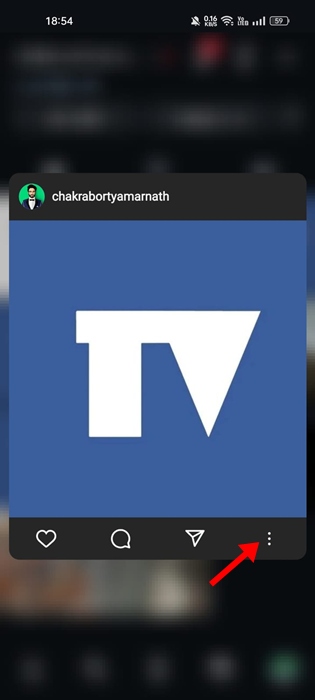
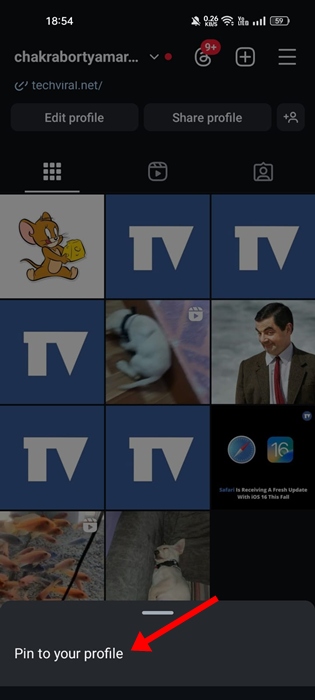
5. You will now see the Pin to your Profile option. Tap on it to pin the post.
How to Unpin the Post on Instagram?
To unpin the post on Instagram, long-press the post and slide your finger over the options.
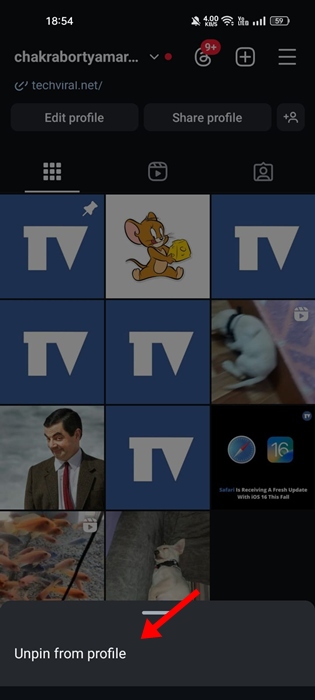
You will now see the Unpin from profile option. Simply tap on it to Unpin the post.
What if the Pin Post Feature is Missing?
If you’re following the correct way to Pin Post Instagram but still can’t do so, you need to do some troubleshooting. Here’s what you need to do.
1. Reopen the Instagram App
One of the first things you should do is to force close and relaunch the Instagram app on your Android or iPhone.
Simply open the App Drawer on your Android phone and close the Instagram app. Once done, open the app again.
2. Update the Instagram App
Maybe the version of the Instagram app you’re using has a bug that prevents you from pinning posts.
You can rule out such bugs by updating the Instagram app to the latest version. Open the Google Play Store on your phone and update the Instagram app.
3. Clear Instagram App Cache
If the Instagram Pin/Unpin option is still missing, you can try clearing the Instagram App Cache file. Here’s what to do.
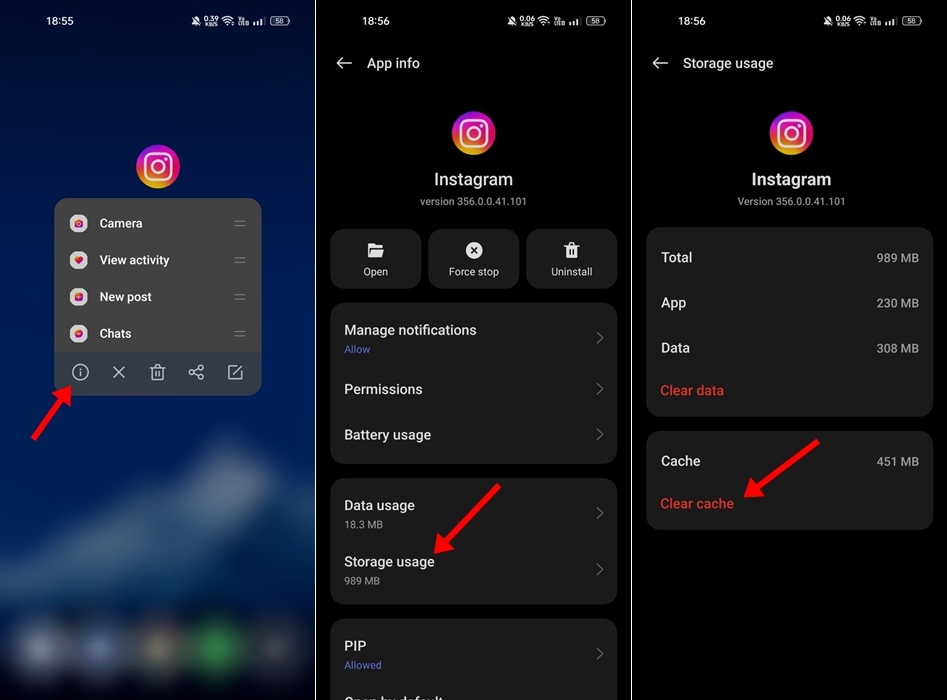
- Long press the Instagram app icon on your home screen and select App Info.
- On the App Info screen, tap on Storage usage.
- On the Storage Usage screen, tap on Clear Cache.
If you’re facing the same problem on your iPhone, you need to offload the Instagram app and reinstall again.
4. Log out and log back in
Many Reddit users have found logging out and logging back in helpful in fixing this problem. If it is still not fixed for you, try doing this as well.
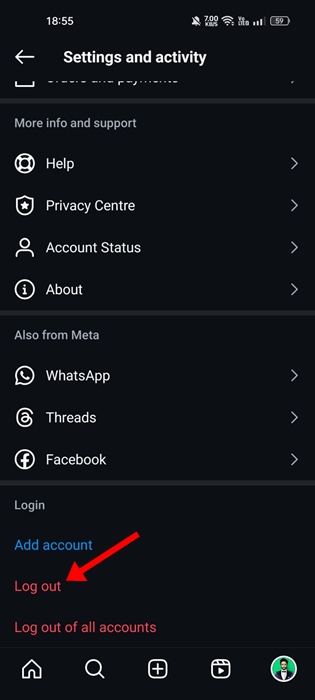
- Move to your Instagram profile screen.
- Tap the hamburger menu in the top right corner.
- On the Settings and activity, tap Log out.
Once logged out, log back in with your account credentials.
5. Report the Problem to Instagram
If you feel that you’re the only one facing the problem, despite trying all these troubleshooting steps, it’s best to report the problem to the Instagram team.
1. Launch the Instagram app and go to your Profile.
2. Tap the hamburger menu at the top right corner.
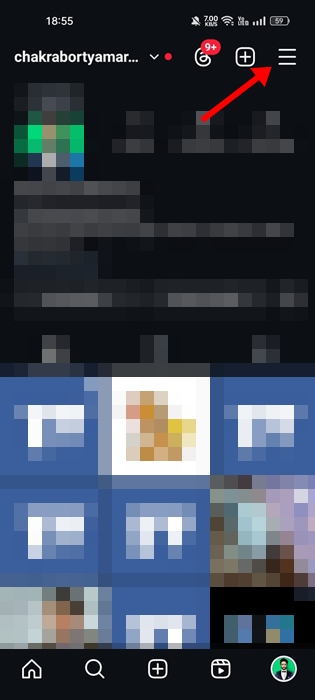
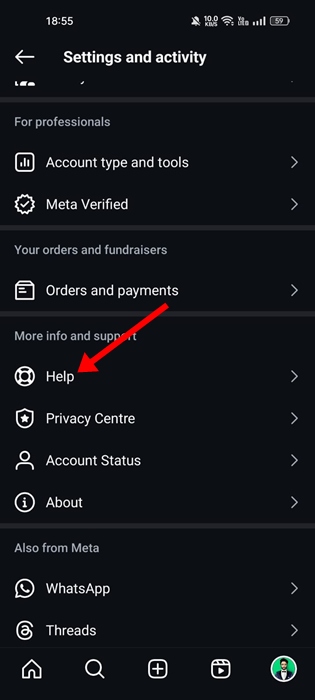
3. Scroll down and tap Help.
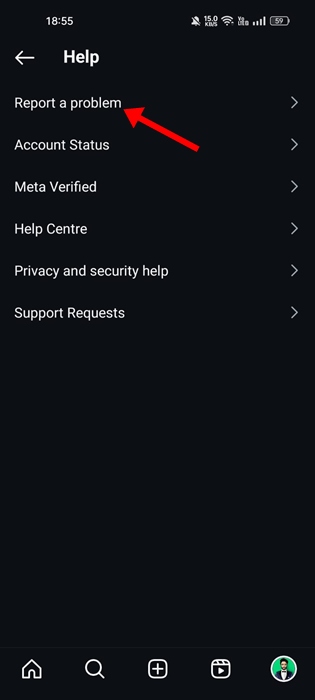
4. Tap Report a Problem.
5. Select Report problem without shaking.
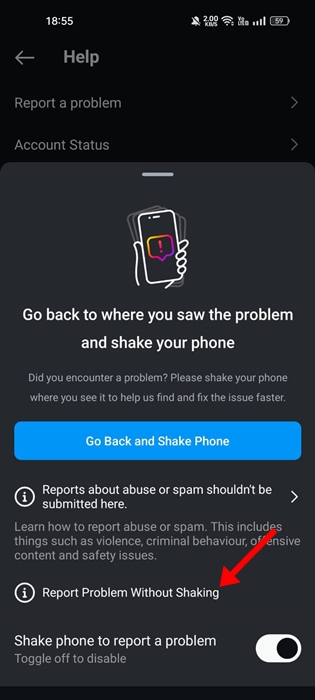
6. On the next screen, tap Don’t Include and Continue.
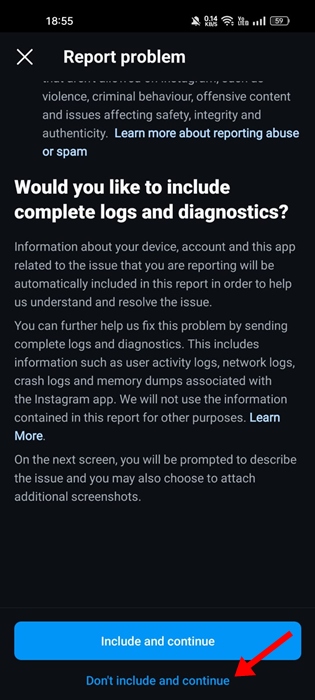
7. Copy and paste the given message and tap Send.
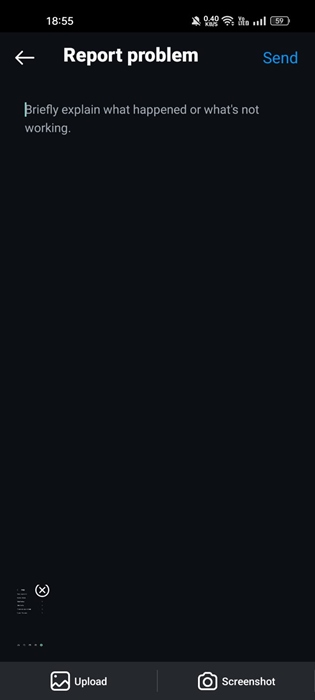
Dear Instagram team!
The pin or unpin feature for the Instagram Posts is missing. I have tried the general troubleshooting, but nothing has helped. Please solve this issue as soon as possible.
Thank You!
These are the best ways to fix the Pin Post Instagram Missing. Let us know if you need more help on this topic in the comments.
The post Pin Post Instagram Missing? 5 Ways to Fix it appeared first on TechViral.
from TechViral https://ift.tt/2hAWYyt

