

If you’ve been using Perplexity, you may have already come across a new mode called ‘Learn Step by Step’. So, what does this new mode do, and how is it useful? Let’s know about it in detail.
What is ‘Learn Step by Step’ mode on Perplexity?
Learn Step by Step mode (formerly known as Learn Mode) is basically a feature for student learning. It’s available to everyone and is designed to make your learning journey interactive, helping you study more effectively and master the material rather than just get the answer.
So, if you’re a student and want to explore more about your subject, you may find this new feature very useful. It’s basically Perplexity’s Search, but optimized for active learning.
Instead of simply providing direct answers, it breaks down concepts and explains them step by step.
How is Learn Mode Different than Normal Mode?
Learn Mode is very different from Normal Mode. In normal mode, you ask a question, and the AI gives you a full answer.
But in Learn Mode, the AI tries to understand your knowledge level and the problems you’re not able to solve. It will show you one step, ask you to try the next one, and only then move on.
How to use the ‘Learn Step by Step’ mode on Perplexity?
The ‘Learn Step by Step’ mode is available for free to all users. Earlier, it was limited to verified student accounts, but it’s now available to all.
1. To use it, open your favorite web browser and visit the Perplexity.ai website.
2. Log in to your Perplexity account.
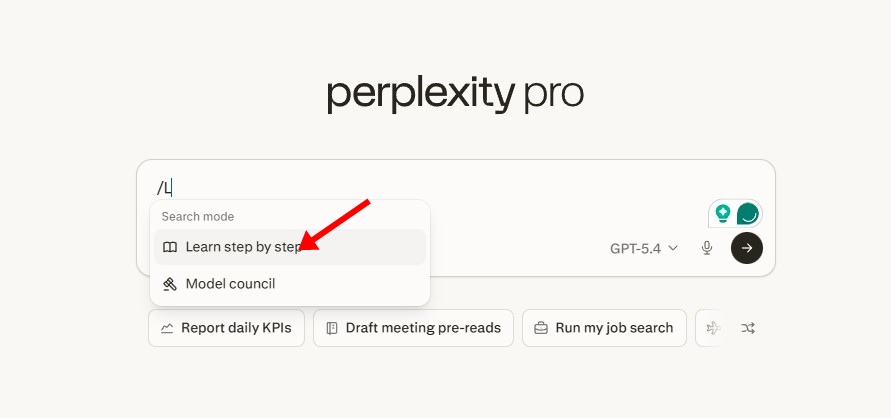
3. In the ask anything field, type / and then select Learn Step by Step mode.
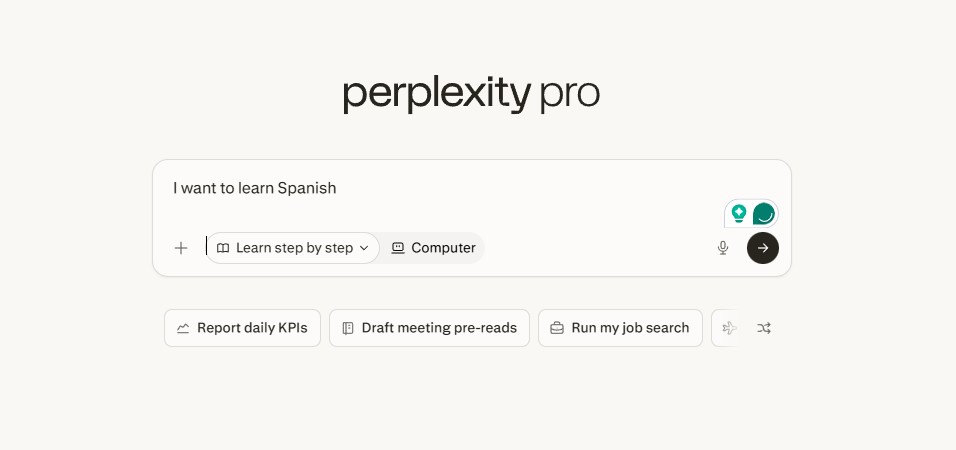
4. Now type whatever you want to learn and press Enter.
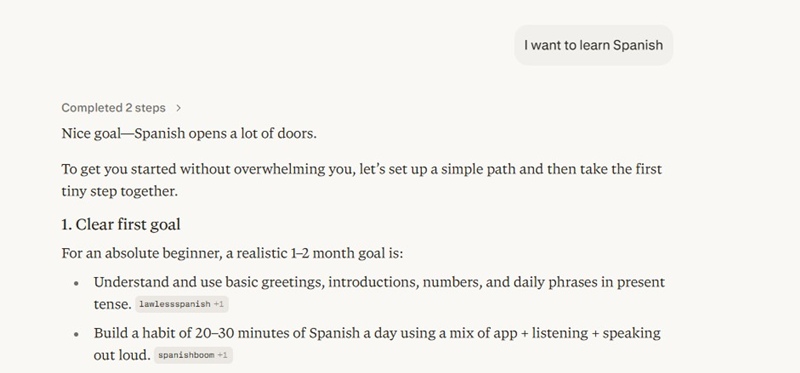
5. The AI chatbot will return with a plan to help you learn about the subject or topic.
Although the Learn Step by Step mode is very useful, it has a few drawbacks. It’s slow, can feel repetitive, and its effectiveness depends on how actively users engage with it.
If you prefer quick answers and find direct answers more useful, this mode may not be your cup of tea.
The Learn mode has been there on Perplexity for a while, but many users may have overlooked it. It could be a very helpful feature for students and those who want to learn something new systematically.
This guide explains how to use the Learn Step By Step mode on Perplexity AI. If you need more help using this mode, let us know in the comments.
The post How to Use the ‘Learn Step by Step’ mode on Perplexity AI appeared first on TechViral.
from TechViral https://ift.tt/mPgy8Lv

